See your day clearly.
A calendar for the bigger picture. An upcoming list for what needs your attention next.

A little more space in your day
Tasks, plans, bills and important dates. One clear place to put them, so you can give your attention to the rest of your life. On iPhone, iPad and now Mac.
Free to download · Optional Pro subscription
iPhone · iPad · Mac · Apple Vision
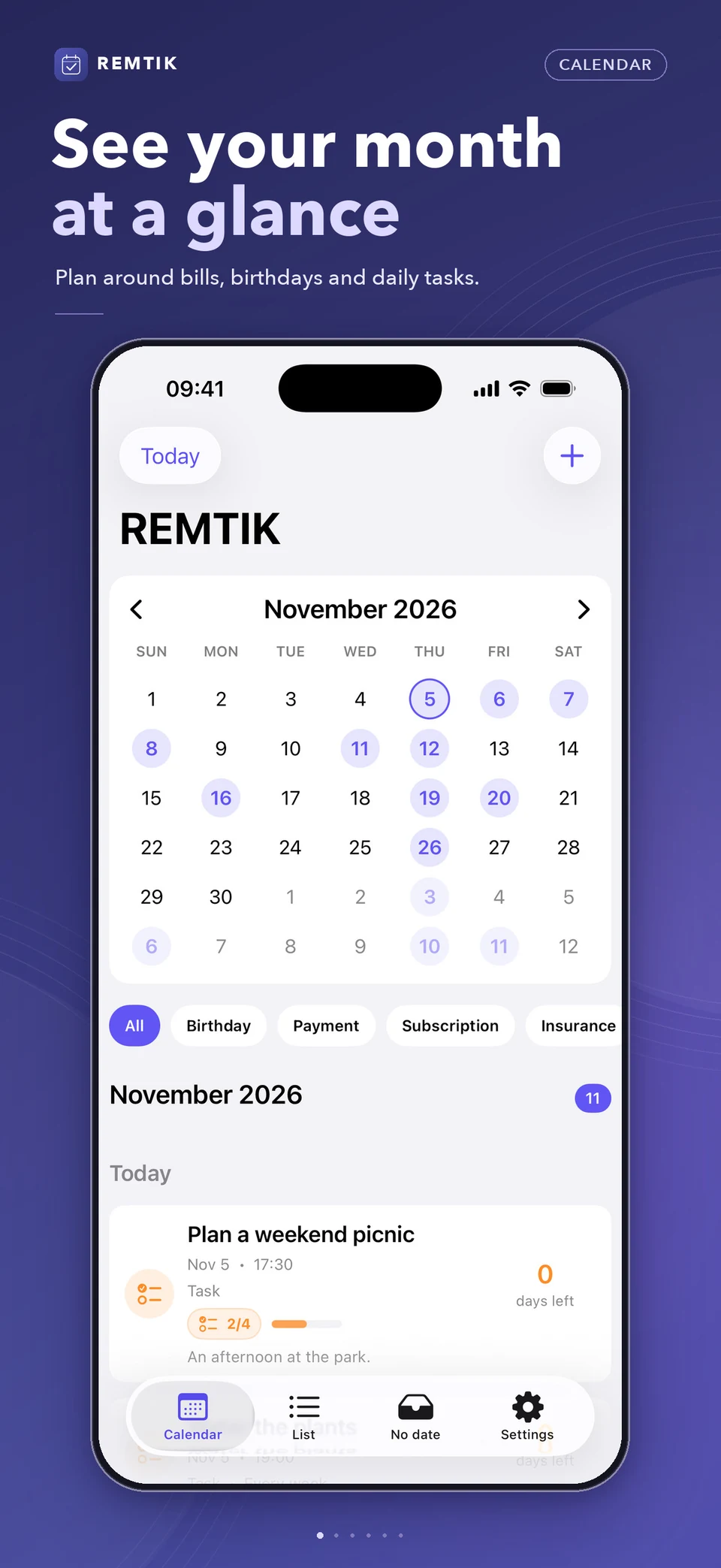
A calendar for the bigger picture. An upcoming list for what needs your attention next.
Bills, birthdays and renewals have a place of their own, instead of a place in your head.
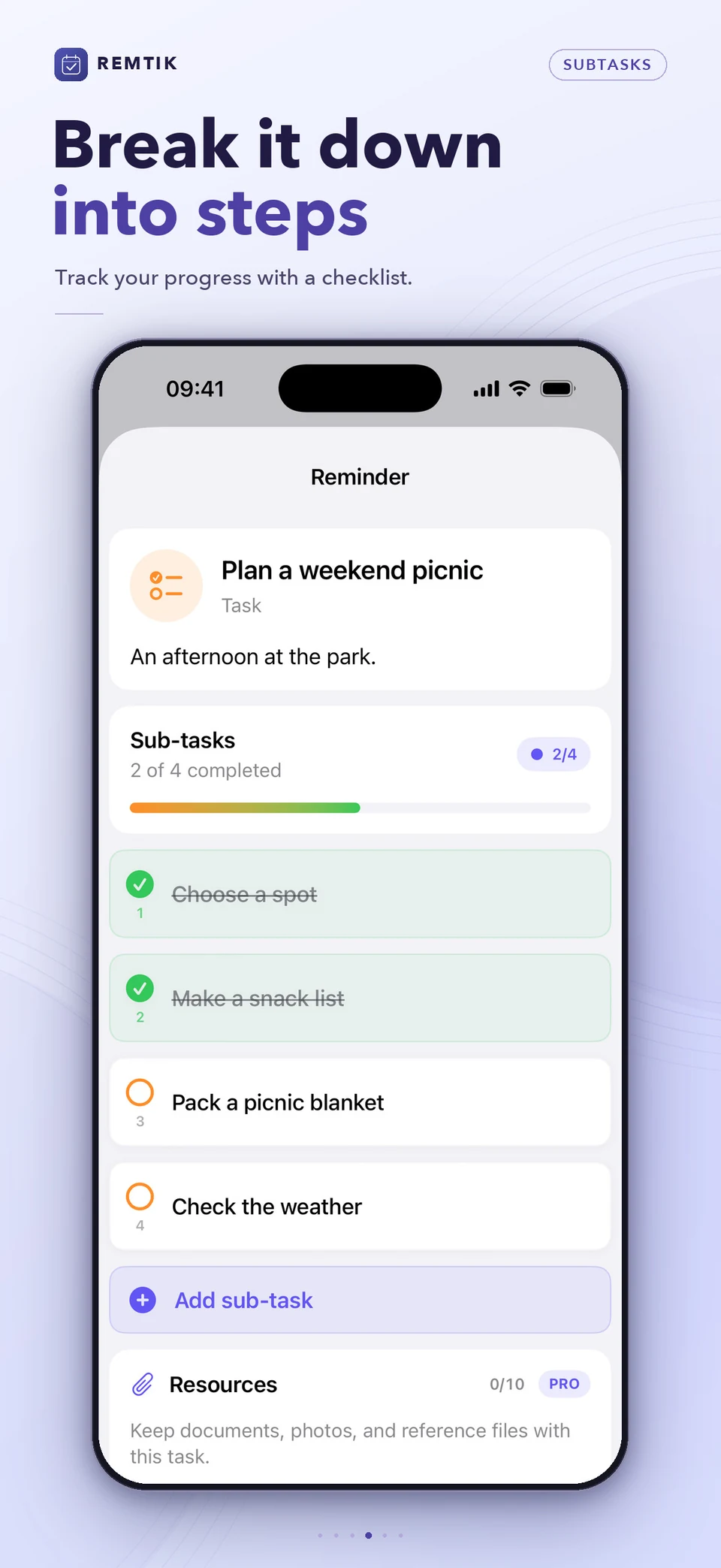
Turn a project into smaller steps. See your progress, then get back to the work that matters.
REMTIK / 01
A closer look at the real app. Calendar, upcoming tasks and the details that keep a day together.
See dated reminders in a month view and select a day to see what’s planned.
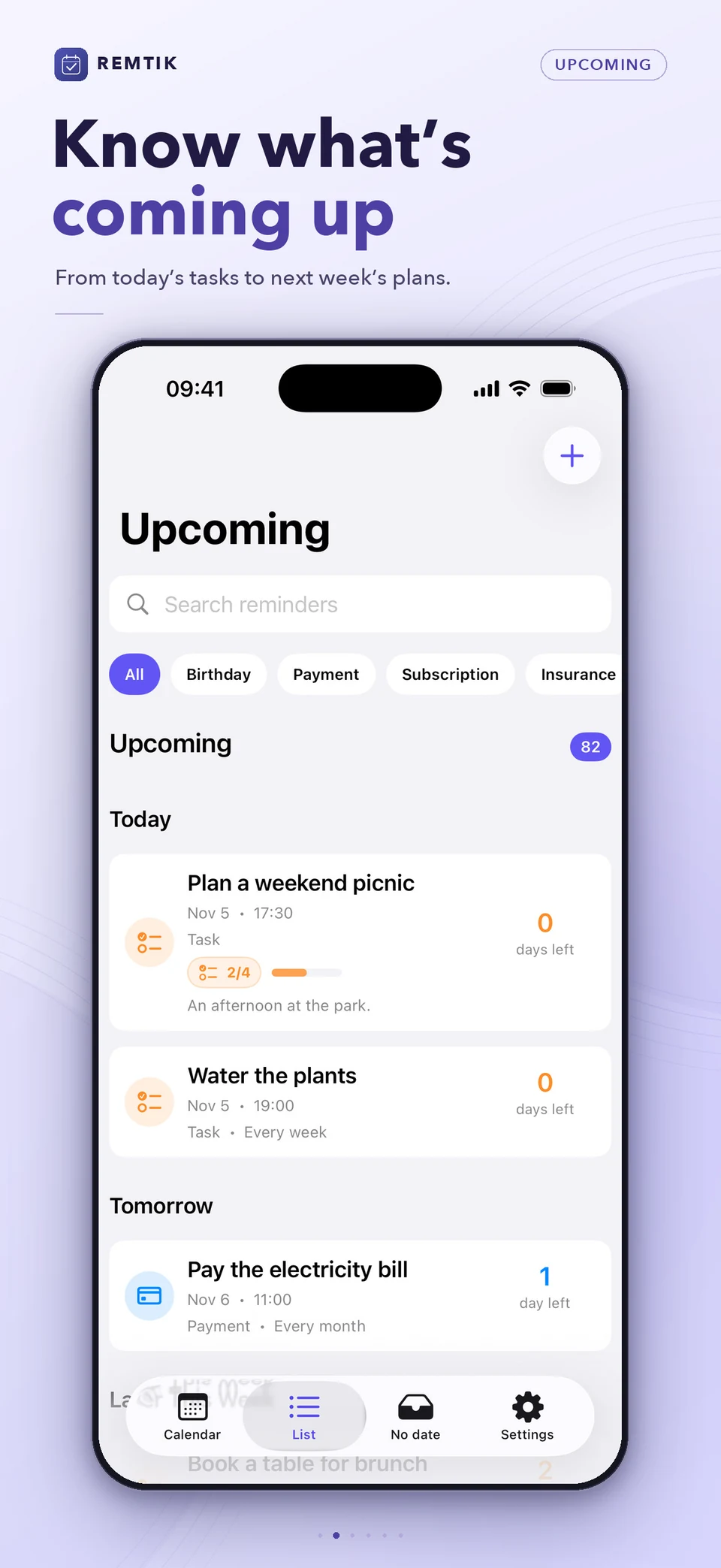
Check what’s due today, tomorrow, or later in a list grouped by date.
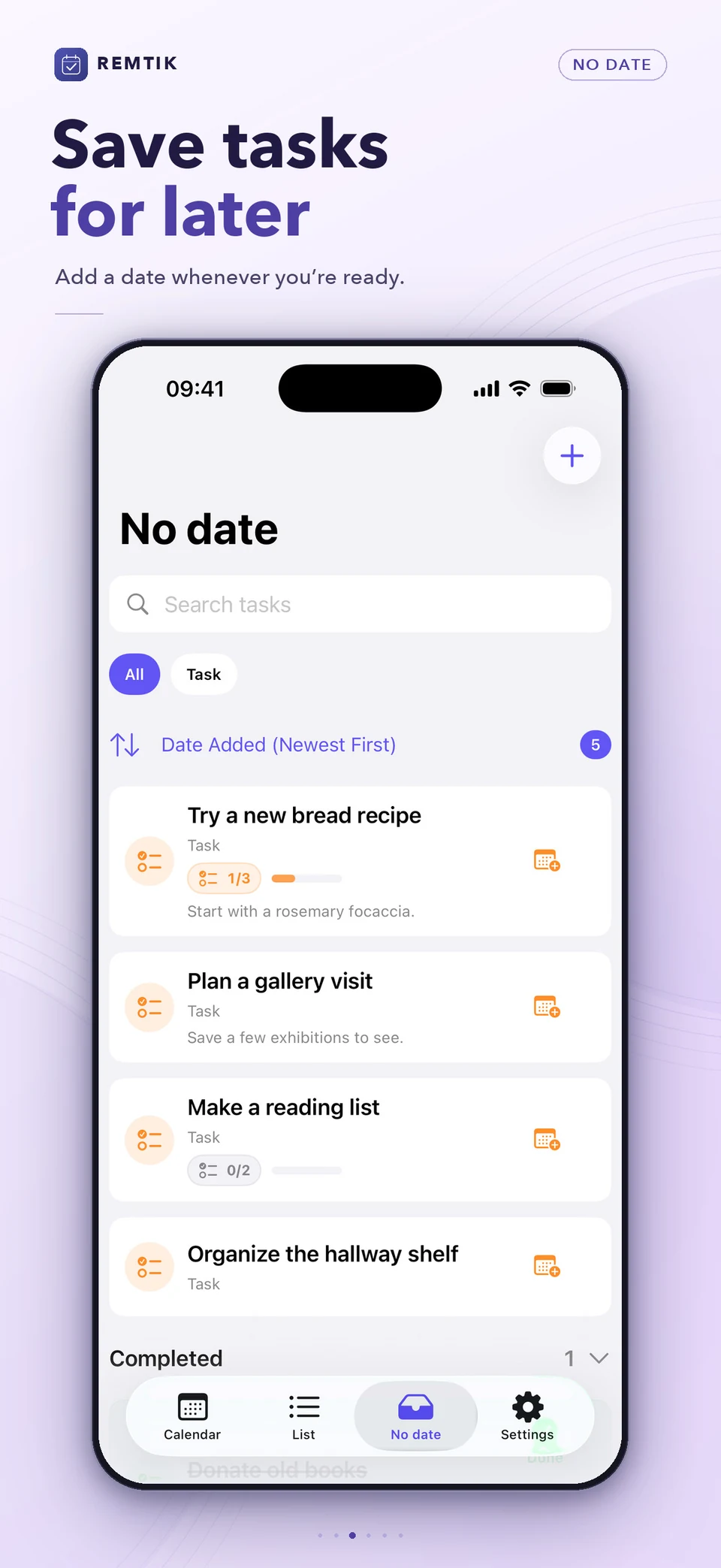
Save a task as soon as you think of it and schedule it when you’re ready.
Split a task into smaller steps and see your progress as you check them off.
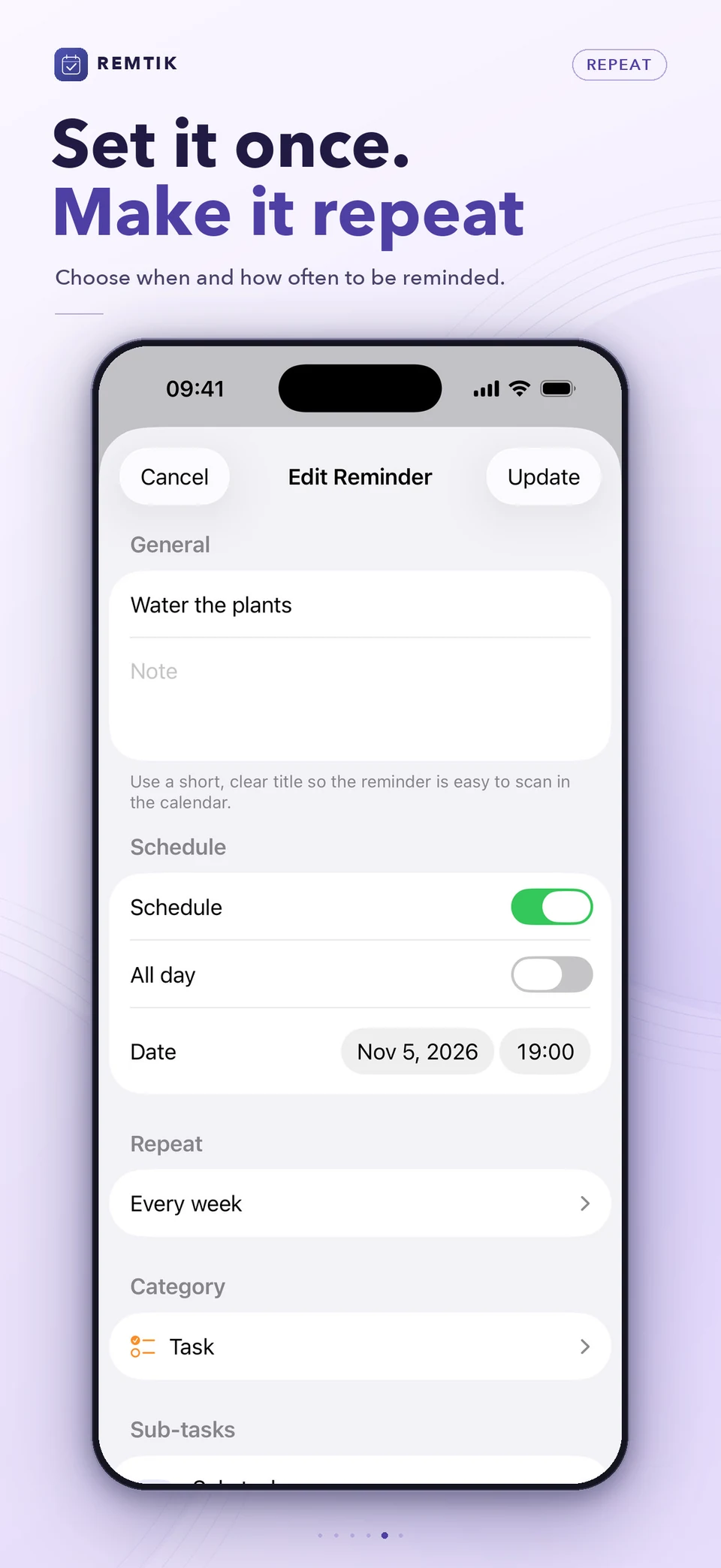
Choose when to be reminded and set a repeat rule for recurring tasks.
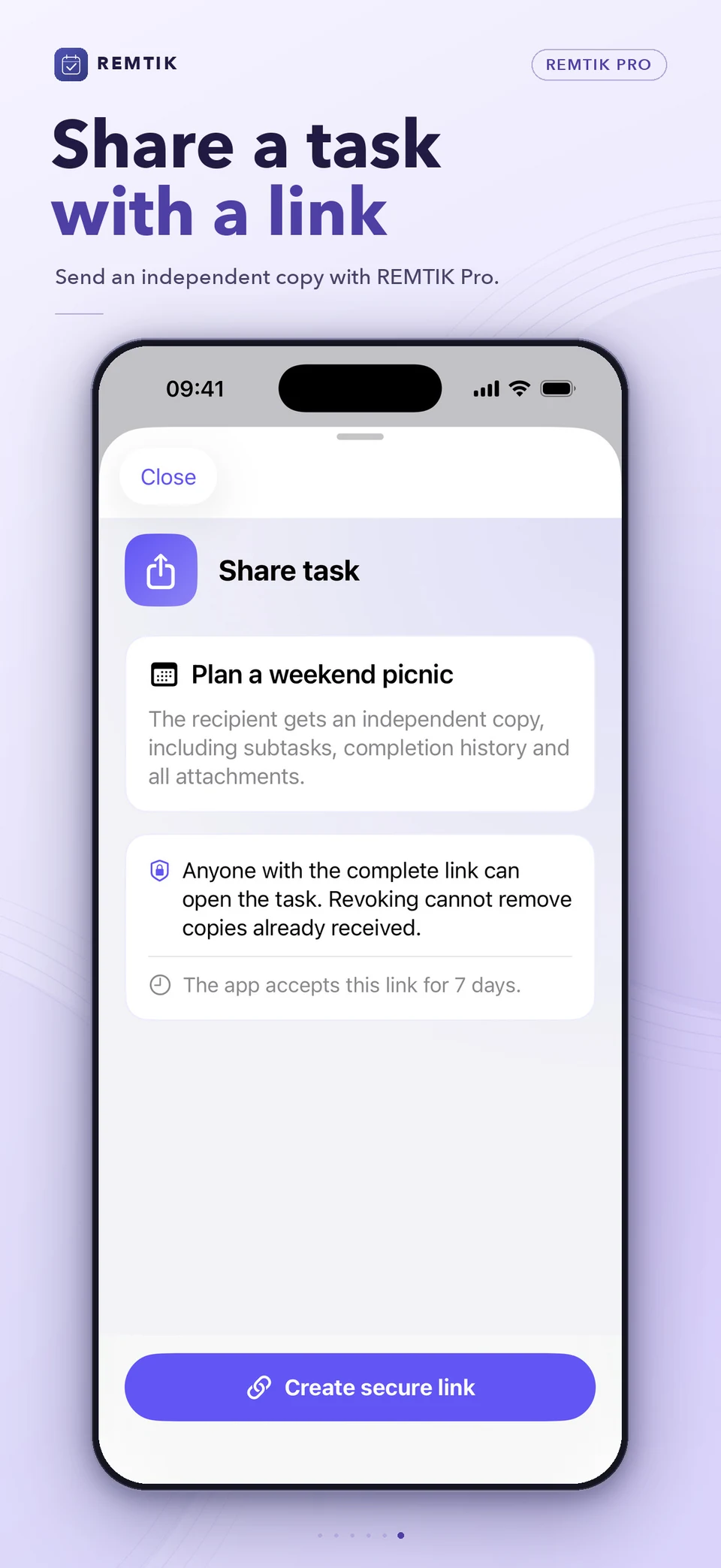
Send someone a link to an independent copy of a task with REMTIK Pro.
FROM A THOUGHT TO A PLAN
Give a task a date and a category. Find it on your calendar. Work through its checklist, one clear step at a time.
3 / 3
REMTIK / 02
Calendar and upcoming list, grouped by period. Search titles and notes, filter by category. Set a title, notes, date and time, or make a task all-day. Reorder subtasks, track progress, mark complete and switch reminders on or off.
Daily, weekly, every four weeks, monthly or yearly. Pro adds weekdays, weekends, selected weekdays, the first or last day of the month, and every N days or months.
Local notifications, advance alerts, a default reminder time, a separate time for all-day tasks and a choice of sound. Pro adds important reminders that draw extra attention. Delivery follows your device permissions and Focus settings.
Birthdays in pink, payments in blue, subscriptions in purple, insurance in green and tasks in orange. Pro lets you create categories with your own name, color and icon.
Core planning works offline. Light and dark appearances keep things comfortable. Choose when old one-off tasks are automatically removed.
Export a backup with Pro and import it when you need it. Keep tasks, subtasks and attachments together in a file you control.
An interrupted form needn’t mean starting over. Recover an unfinished task draft, including notes, subtasks and attachments, and continue where you left off.
REMTIK / 03
The essentials for a more organized day.
More flexibility for plans that keep growing.
See current subscription prices and terms in the app before purchasing. Receiving shared tasks is free within the task limit; sending requires Pro.
FAQ
Use up to 10 tasks across Calendar, Upcoming and No date. Search, filters, sorting, subtasks, basic repeats and draft recovery are included. You can also receive shared tasks and preview their original attachments.
Pro adds unlimited tasks, custom categories, advanced repeats, important reminders, optional iCloud sync, backup export and import, attachments with previews, and sending or re-sharing task links.
Yes. Create, organize and complete local reminders offline. Local notifications depend on your system settings.
Choose a daily, weekly, four-weekly, monthly or yearly schedule. Pro adds selected weekdays, month boundaries and custom intervals.
Yes. Pro includes optional iCloud sync for your tasks across supported devices signed into the same iCloud account. You can also keep planning locally with sync turned off.
Available on iPhone, iPad, Mac and Apple Vision. Mac requires macOS 15 or later. Check the App Store for current device and system compatibility.
Send a task link with Pro, complete with notes, subtasks and attachments. The recipient can save a copy in REMTIK for free, within the 10-task limit, and preview its original attachments. Each person keeps an independent copy. Later edits are separate; revoking the link does not remove a copy already saved.
For people who value their time.
Give your plans a place. Give your attention to the present.
Download on the App Store