The vault for people who cannot afford a leak.
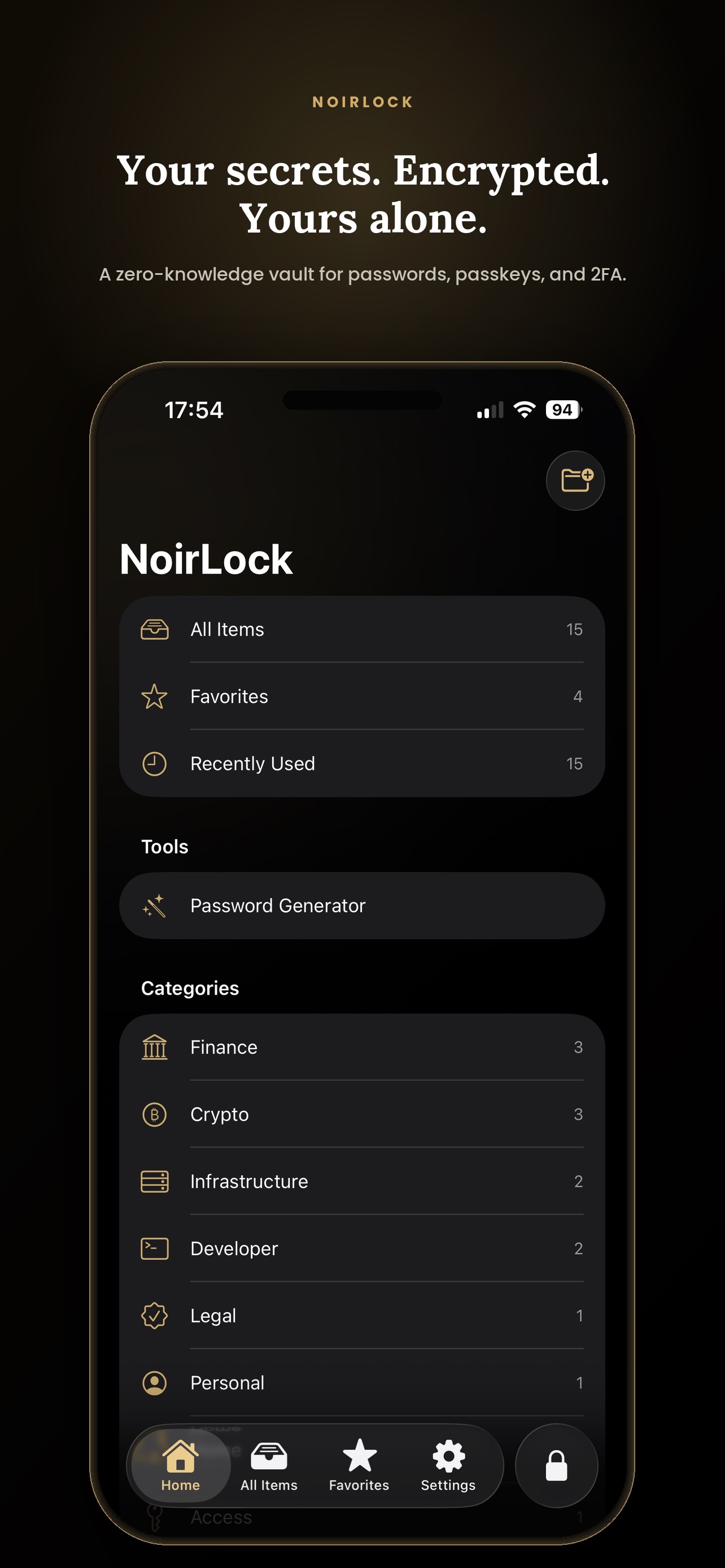
Passwords, recovery phrases, API tokens, bank cards, identity documents, SSH keys, passkeys, and two-factor codes — encrypted on your own Apple devices, never on our servers, because there are none. No account. No cloud login. No company standing between you and your secrets.

Everything, sealed in one vault
Why NoirLock
Nothing to trust. Nothing to breach.
Zero-knowledge
Without your master password and Secret Key, no one reads your vault — not us, not anyone with access to your iCloud, not anyone holding your device.
Local-first
Every record is encrypted on your device before it ever touches iCloud. NoirLock works fully offline — sync is a bonus, not a dependency.
No account, no servers
There is no NoirLock login and no NoirLock server to breach. Sync happens only through your own private iCloud, encrypted, end to end.
No tracking, ever
No analytics, no trackers, no advertising. Your vault activity is never logged, previewed, or sent anywhere it doesn’t belong.
What fits inside
Far more than passwords.
Every kind of record gets fields built for it — and any entry can carry encrypted file attachments, synced only through your own iCloud.
Login
Username, password, URLs, TOTP
Secure Note
Free-form text, fully encrypted
Access Code
PINs, door codes, safe combinations
Recovery Phrase
Seed phrases and backup codes
API Token
Keys, secrets, service credentials
Bank Card
Number, expiry, CVV, PIN
Contact
Private contact details
Identity Document
Passport, ID card, licence
Wi-Fi Network
SSID, security type, key
Software License
License keys and seats
Crypto Wallet
Addresses and wallet secrets
Membership
Loyalty and member numbers
SSH Key
Private key, public key, passphrase
Passkey
Phishing-resistant sign-in
Custom Secret
Your own fields, your own shape
Attachments
Encrypted files on any entry
Inside the vault
Built for discipline, not drama.

The Vault

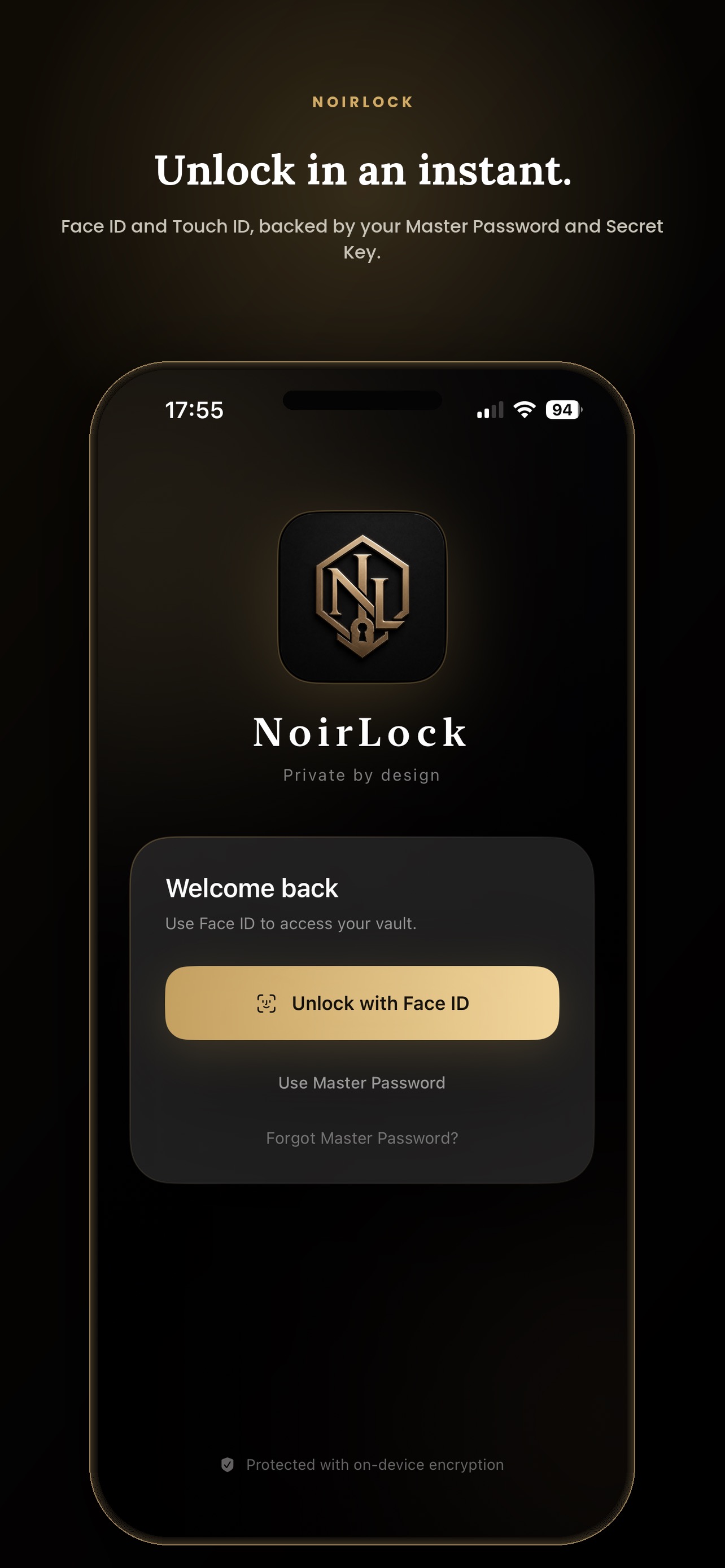
Instant Unlock

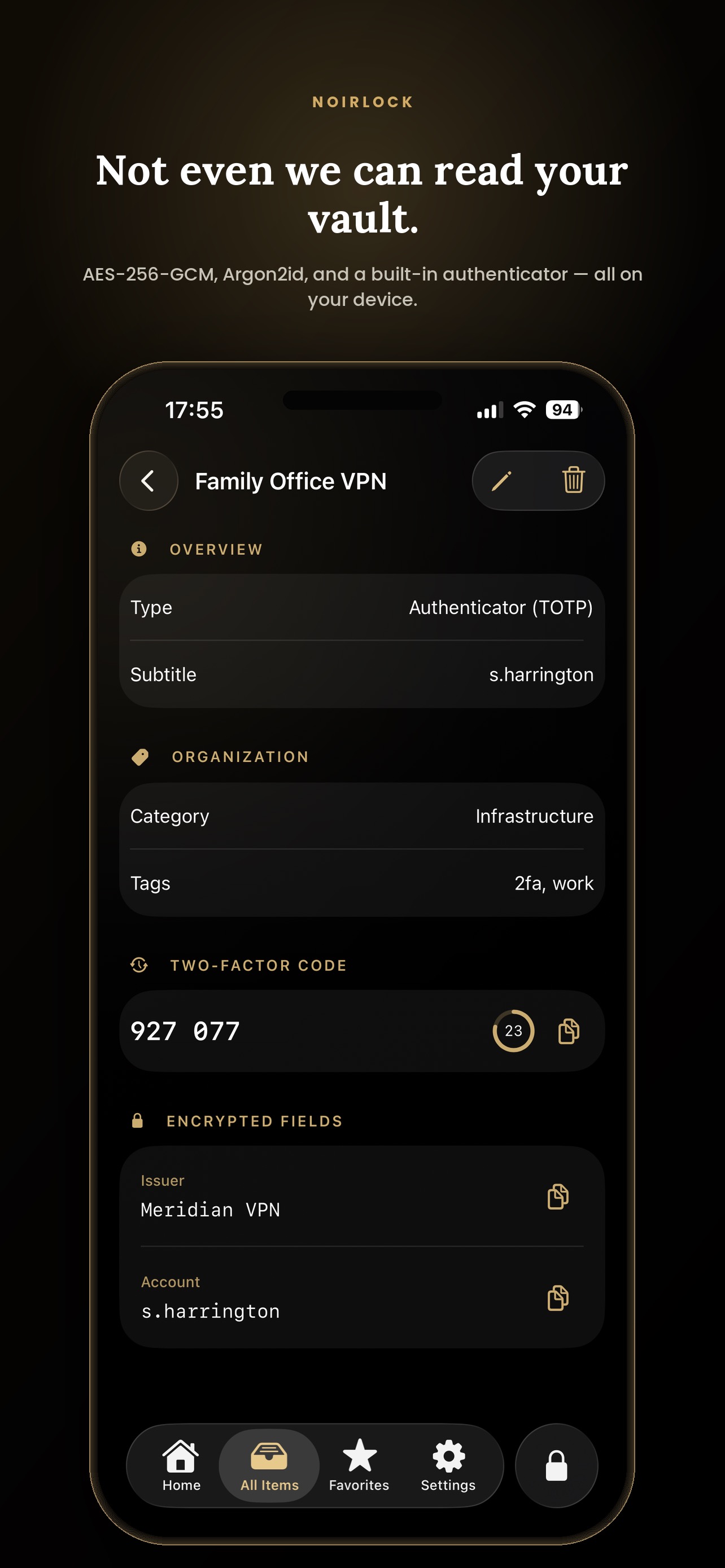
Encryption & Authenticator

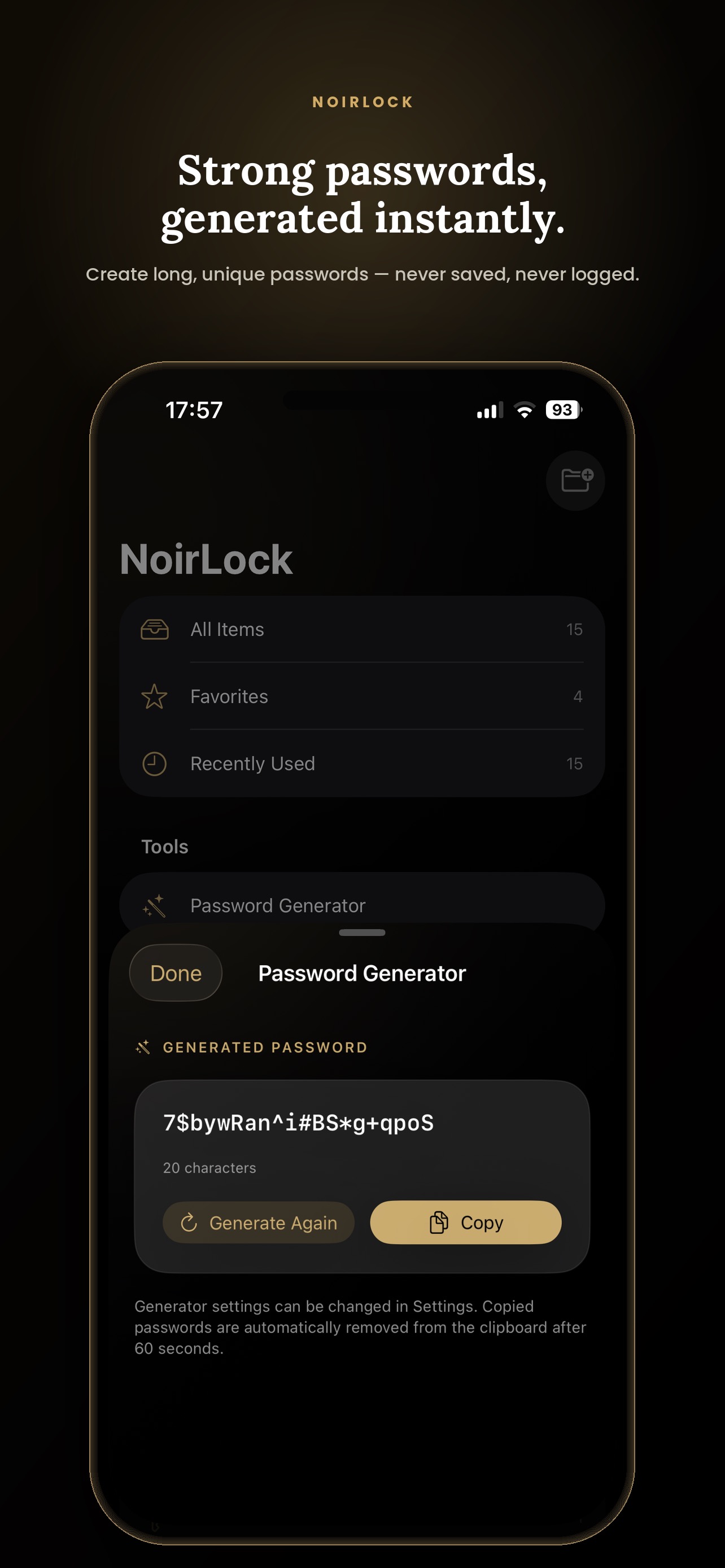
Password Generator

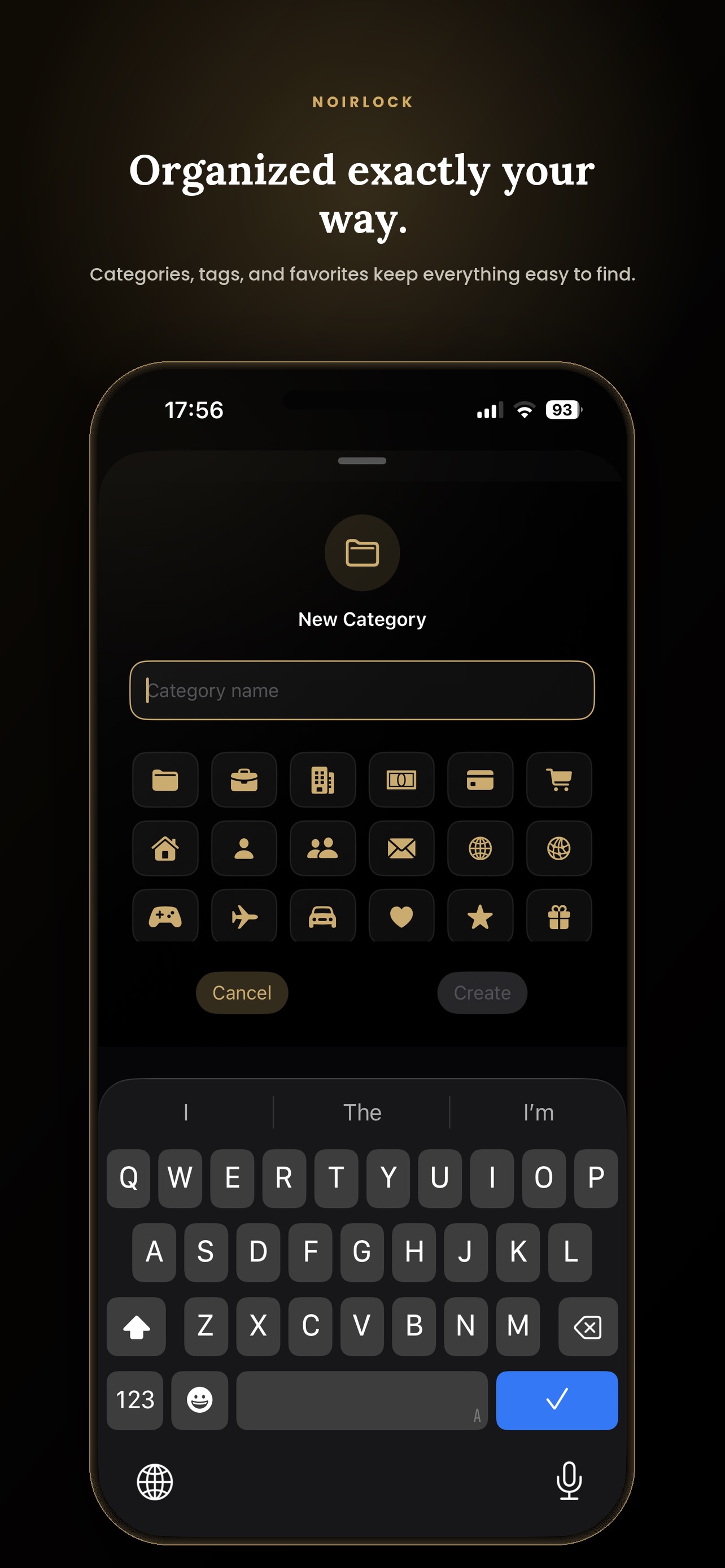
Categories & Tags

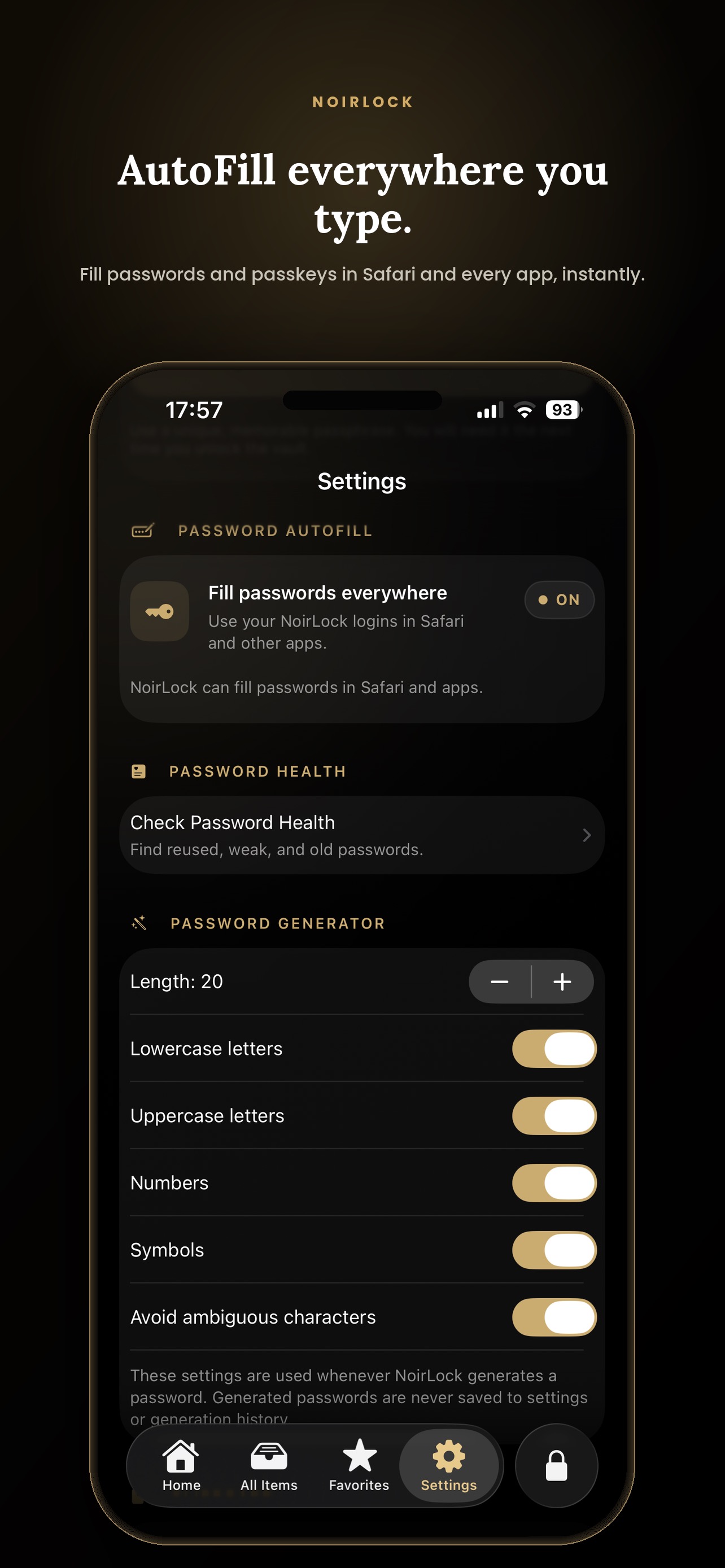
AutoFill Everywhere

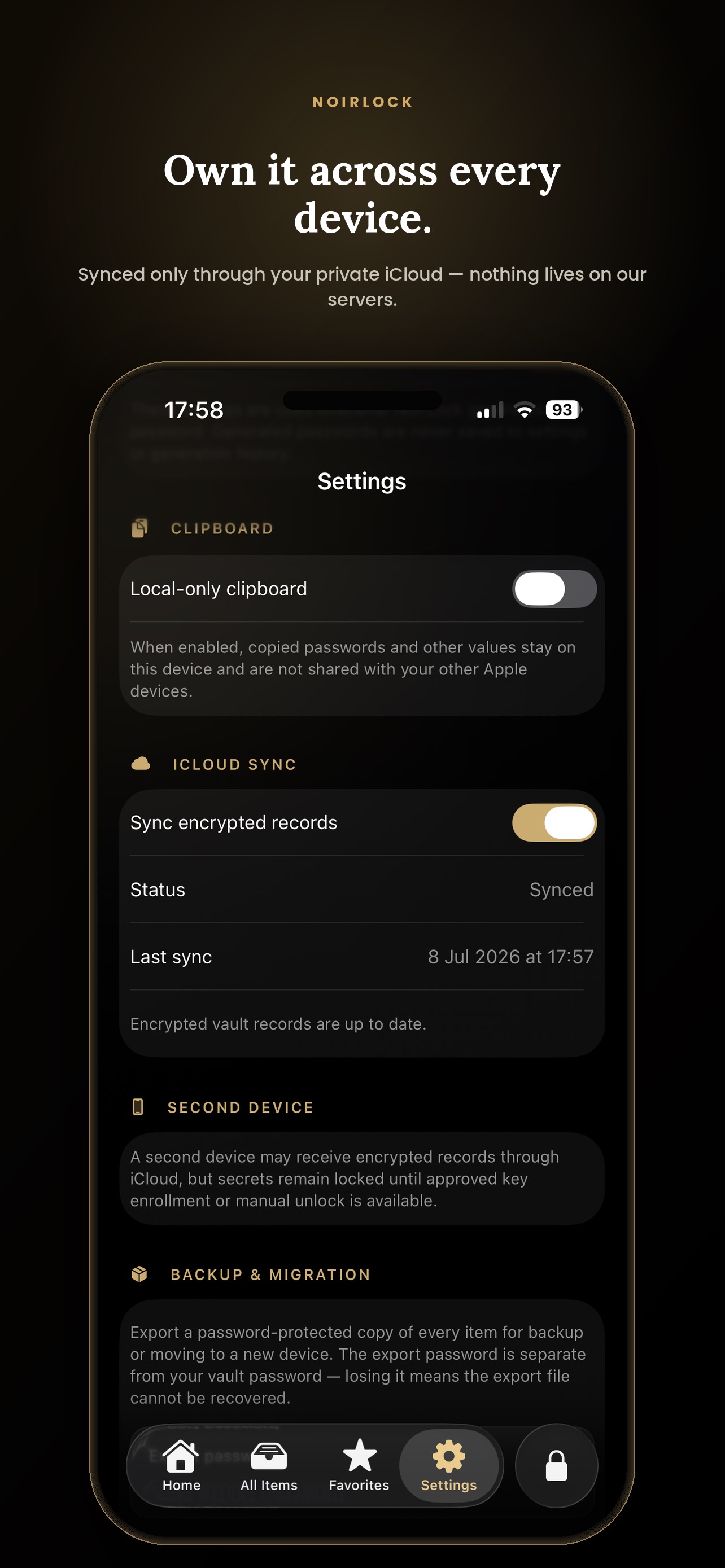
Private iCloud Sync
Migration
Switch in an afternoon.
Bring your existing vault with you. Import runs on your device, under your review, and stays reversible until you are satisfied.
01
Review before it lands
Every item is shown to you first. Nothing is written into the vault until you say so.
02
Duplicates flagged
Likely duplicates are detected and marked. Merge or skip them one by one.
03
Undo the whole thing
Large imports run with progress, cancellation, and a 10-minute Undo window.
Hardened Mode
Private by discipline, not by promise.
Auto-lock, manual lock, a privacy cover when the app moves to the background, and an optional local-only clipboard. When you want the strictest posture without hunting through settings, Hardened Mode applies all of it in a single switch.
No analytics. No tracking. No advertising.
- iCloud sync switched off
- AutoFill at maximum security
- Local-only clipboard
- Immediate lock on background
For threats an ordinary vault never considers.
Border crossings, coerced unlocks, a device that falls into the wrong hands, a secret that should not outlive its purpose — Pro is built for the situations where a password field is not the problem.
Private Space
A cryptographically isolated area behind its own second password, with its own recovery key. Nothing inside it appears anywhere in the main vault.
Travel Mode
Hide chosen categories across the entire app before a border crossing. Armed and disarmed only from inside Private Space, so nothing on the device reveals that it is on.
Duress Unlock
A separate code that opens a decoy vault instead of the real one — for the moment when refusing to unlock is not an option.
Panic Wipe
Erase this device’s vault after too many failed unlock attempts, then restore it later from your own iCloud.
Self-destructing entries
Set a date after which an item deletes itself on every one of your devices. Useful for anything that should not outlive its purpose.
Emergency Access
Let a trusted person reach chosen categories after a waiting period you set — so a vault built to resist everyone does not also outlive you.
Secure Sharing
Send a single item as a one-time, end-to-end encrypted link that self-destructs after it is opened.
How Pro is priced
NoirLock Pro is an auto-renewing annual subscription with a 14-day free trial, or a one-time lifetime purchase. Prices in your local currency are shown before you buy. Subscriptions renew automatically unless auto-renew is turned off at least 24 hours before the current period ends, and can be managed or cancelled in your Apple Account settings.
Everything else in NoirLock stays free, with no limit on the number of entries.
Security
Built on principles, not promises.
NoirLock makes no claim of being unhackable. What it offers instead is a specific, verifiable architecture — and the honesty to explain its trade-offs.
Encryption
Every record is sealed with AES-256-GCM authenticated encryption. Tampered data fails authentication instead of decrypting.
Per-item keys
Every vault item gets its own random 256-bit encryption key, separately wrapped by the vault key. Records stay isolated from each other.
Key derivation
Argon2id (64 MiB, 3 passes) from your master password, combined with an independent 256-bit Secret Key (prefix NL-SK-) that only you hold.
Biometric unlock
Face ID and Touch ID are bound to your device’s Secure Enclave — the key that opens your vault never leaves the chip.
Key storage
Cryptographic keys live in the system Keychain, never in plain files.
Attachments
Files attached to an entry are encrypted with the same per-item architecture and sync only through your own private iCloud.
Private Space
A separate key hierarchy behind its own password and recovery key. Unlocking the main vault does not unlock it.
Sync
Your own private iCloud (CloudKit). Only already-encrypted payloads ever leave the device.
AutoFill
The AutoFill extension never receives the main vault database — it works from a separate encrypted projection, and deceptive lookalike domains are rejected.
365 / 365
Automated tests passed
Full unit, integration, and security regression suite — August 2026.
10 / 10
Release checks passed
From physical-device security flows to two-device sync verification.
Reviewed
Independent security review
Completed July 2026 — no critical vulnerabilities within the reviewed scope.
A deliberate trade-off
There is no server-side account recovery. Losing both your master password and Secret Key means losing access to your vault permanently. This is the architectural cost of zero-knowledge design: no one, including NoirLock, can decrypt your data as a fallback — because no one but you was ever able to.
Platforms
One vault, every Apple device.
A single SwiftUI codebase carries NoirLock across iPhone, iPad, and Mac — with macOS embracing native split views and a sidebar built for the desktop.
iPhone
The full vault, Face ID unlock, and AutoFill in your pocket.
iPad
The same secure vault, tuned for a larger screen.
Mac
Native split views and a sidebar — a desktop app, not a stretched phone screen.
Available in 12 languages
FAQ
Straight answers.
Does NoirLock have an account or a cloud login?
No. There is no NoirLock account and no NoirLock server. Your vault lives on your device, and syncing between your own devices happens through your private iCloud.
What happens if I forget my master password or lose my Secret Key?
There is no password reset. Losing both your master password and Secret Key means losing access to your vault permanently. This is the deliberate trade-off of a zero-knowledge design — nobody, including NoirLock, holds a spare key to your data.
Where is my data actually stored?
Encrypted, on your device. If iCloud sync is enabled, encrypted records also live in your own private iCloud container — never on infrastructure operated by NoirLock, because none exists.
Can I move in from another password manager?
Yes. NoirLock imports from 1Password (CSV and 1PUX), Bitwarden, Apple Passwords, Chrome, LastPass, KeePass, Dashlane, NordPass, Proton Pass, Enpass, RoboForm, and other CSV exports. You review every item before it lands, merge or skip flagged duplicates, and can undo the entire import within 10 minutes.
What is NoirLock Pro, and what stays free?
Pro adds Private Space, Travel Mode, Duress Unlock, Panic Wipe, self-destructing entries, Emergency Access, and Secure Sharing. Everything else in NoirLock stays free, with no limit on the number of entries.
What does Hardened Mode change?
One switch applies the strictest options at once: iCloud sync off, AutoFill at maximum security, a local-only clipboard, and an immediate lock whenever the app moves to the background.
Does NoirLock track or profile me?
No analytics, no trackers, no advertising. Nothing about your vault or its contents is ever collected or observed.
Own your secrets
Take back what’s yours.
NoirLock isn’t a place to store passwords. It’s where you keep the things that would cost you the most to lose — under your control, and no one else’s.
iPhone, iPad & Mac · Apple Silicon & Intel